
Garmin GLO 2 support
TrotTracker now supports the Garmin GLO 2 external GPS receiver for improved accuracy compared with your phone's built-in GPS. You can still train using your phone alone.
Learn about GPS accuracyTurn your iPhone or Android phone into a clear, live training display for pace, speed, distance and laps. Save a session to review the route and performance on the web.

Support for Garmin GLO 2 and spoken average pace updates bring more feedback to your training.
TrotTracker now supports the Garmin GLO 2 external GPS receiver for improved accuracy compared with your phone's built-in GPS. You can still train using your phone alone.
Learn about GPS accuracyAverage pace calculation starts automatically from your selected start time. Your average pace is then read aloud every 100 metres, so you can follow your effort without looking at the screen.
Learn about spoken paceUse the GPS built into your iPhone or Android phone, or connect an optional Garmin GLO 2 external GPS receiver for improved accuracy.
Allow location access, choose your horse and press Start. Guest mode can be used without creating an account.
See large, readable pace, speed, distance and lap information while training.
Signed-in users can sync sessions privately, inspect route maps and compare training over time on the web.
Built to make live feedback easy to read and post-session review easy to understand.
See continuously updated trot pace designed to reduce distracting GPS jumps.
Use distance and lap timing to structure warm-ups, intervals and fast work.
Keep saved sessions organised by horse and review progress across time.
Signed-in users can revisit their own synced GPS routes and session summaries.
The route page brings the app-style map to your browser. View recent routes together, filter sessions, then open one route to inspect its path and speed.

The core live display does not require an account. An account adds private sync and web tools.
A simple way to start a training session immediately.
Save sessions and use the full private web dashboard.
The interface keeps essential live figures prominent, then stores the detail for later review.


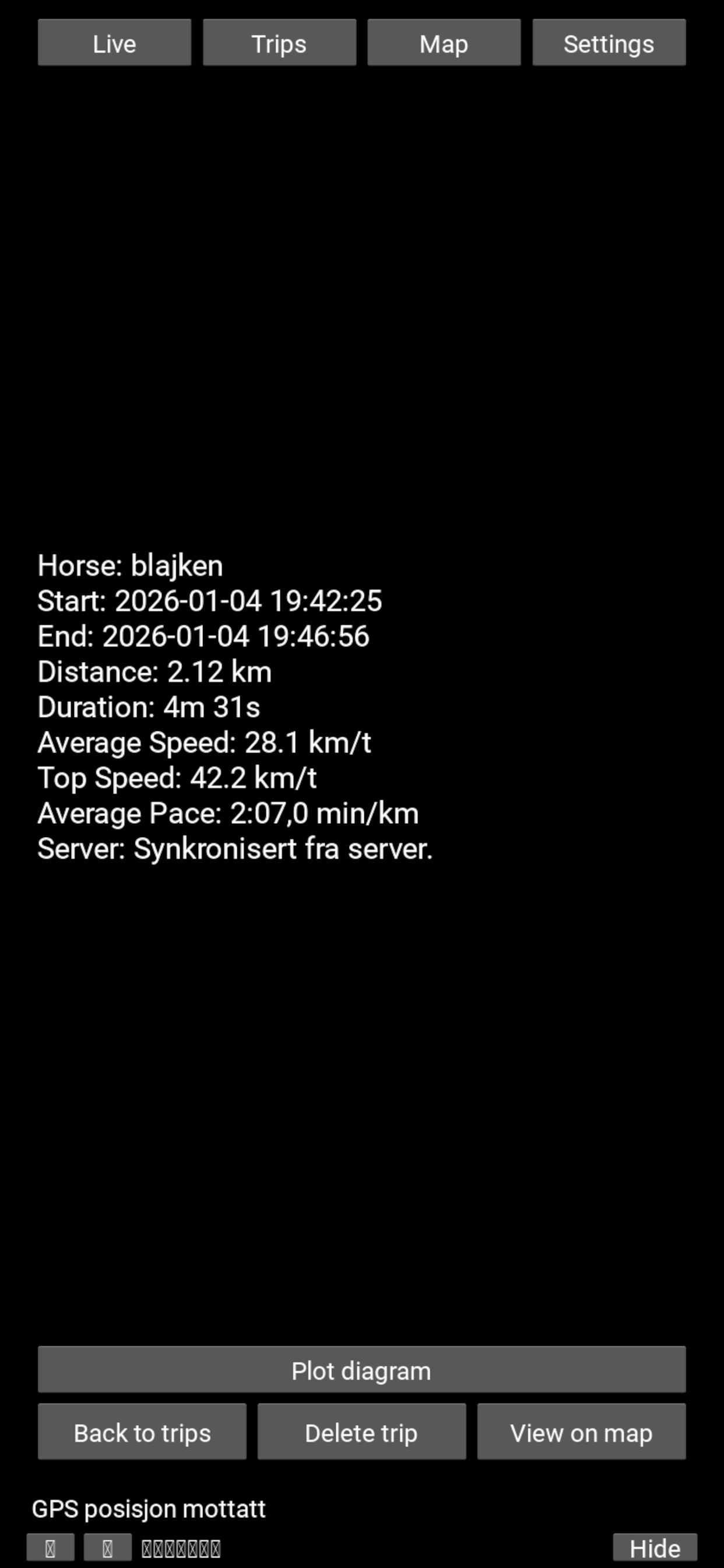
TrotTracker does not require ad tracking or external hardware pairing to deliver its core function.
We do not use your app activity to track you across other companies' apps or websites.
Guest sessions remain on your device unless you choose to create an account and sync.
Location is used to calculate the route and training metrics during an active session.
Delete your account in the app or request help from support when needed.

The TrotTracker arm case positions a compatible phone on your forearm for convenient viewing while driving.
For setup help and troubleshooting, visit the Help Center.
No. You can use the GPS built into your iPhone or Android phone. TrotTracker also supports the optional Garmin GLO 2 external GPS receiver for improved accuracy compared with phone GPS.
Yes. TrotTracker reads your average pace aloud every 100 metres. The average is calculated automatically from your selected start time.
Yes. Guest mode provides the live training display without registration. Guest data stays on the device.
Precise location is needed during an active session to calculate distance, route, speed and pace. GPS conditions and device placement can affect accuracy.
Your synced sessions and routes are private to your account. The public website demo uses a designated demo profile, not customer routes.
The Apple release is designed for iPhone and requires iOS 15.6 or later. The Android release is available on Google Play.
Yes. The released Android app is available directly from Google Play.
Download the released app for iPhone from the App Store or for Android from Google Play.
Join the private Google Play test to try upcoming Android versions and help us improve the app before release.